
01
All-in-one
Menu, ordering, payments, KDS, POS — one platform.
Kaidou All included. No bolt-ons, no add-on fees, no extra modules to license.
Most platforms nail one or two of these. Kaidou ships all five — on the free plan, from day one. No bait-and-switch.
Menu, ordering, payments, KDS, POS — one platform.
Kaidou All included. No bolt-ons, no add-on fees, no extra modules to license.
Fast setup, no coding, no training day required.
Kaidou Full menu live in 30 minutes. QR codes generated in one click. No developer needed.
Free entry, no commissions, scalable plans.
Kaidou Free plan covers everything. No per-order commission. No surprise upgrades.
Real-time updates, live notifications, fewer errors.
Kaidou Every event pushes instantly to all devices. Sub-50ms end-to-end latency.
GCash, Maya, VAT/SC/PWD, Tagalog/Bisaya Language.
Kaidou Designed for the Philippines from day one — not retrofitted from a global generic platform.
No hidden fees. No forced add-ons. No surprise upgrades. What you pay for is exactly what you get. Packed with powerful features, yet flexible enough to use only what your business needs. From daily operations to customer experience, everything is designed to help you run your business with clarity, efficiency, and confidence. Deliver a smoother experience for your customers while empowering your staff to work faster and more effectively. Complete yet simple to use, always reliable, and built to help your business grow and increase revenue over time.
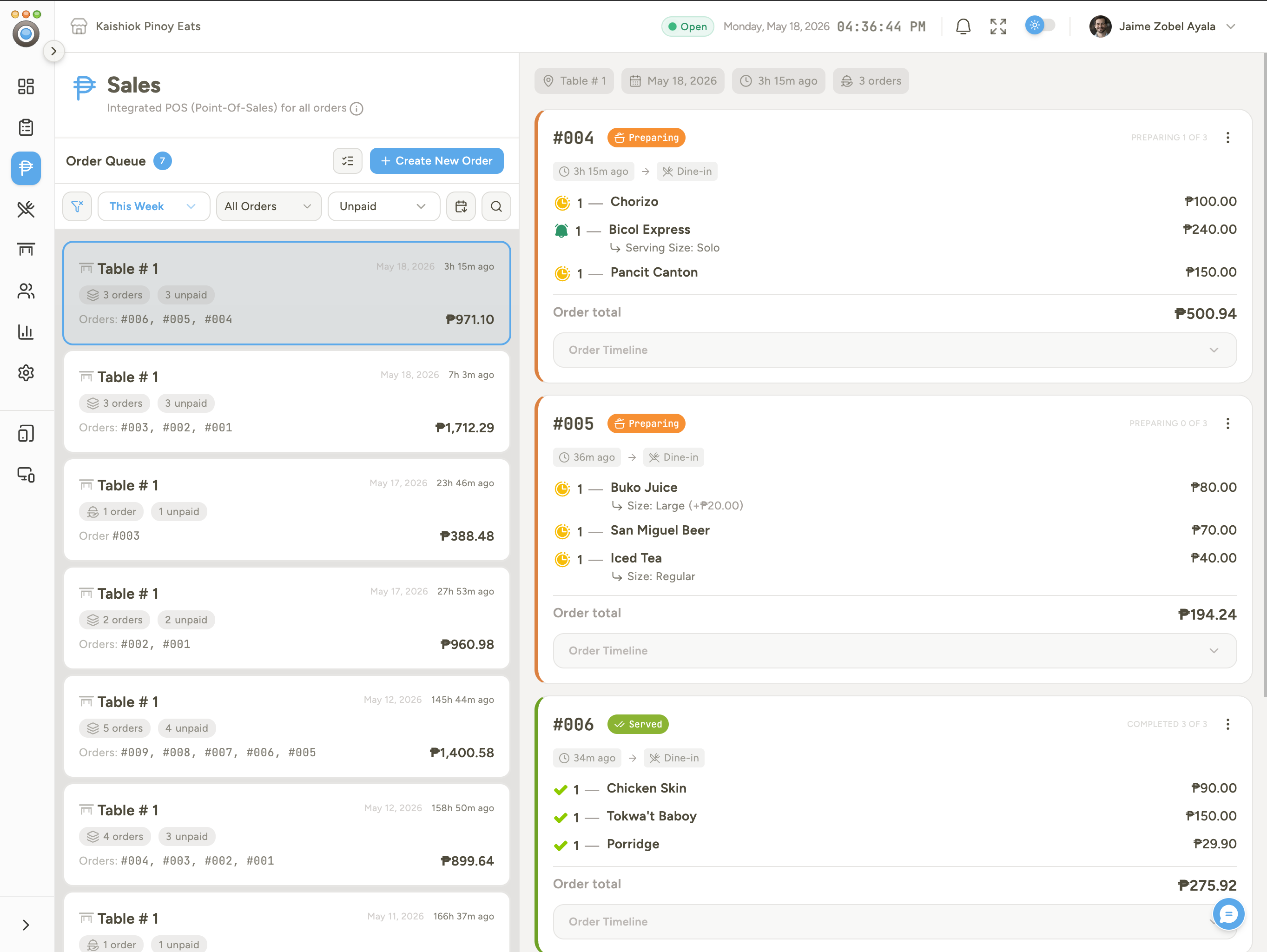
Customer phone, kitchen display, and admin dashboard sync in milliseconds. Kitchen taps "ready," diner sees it the same tick.
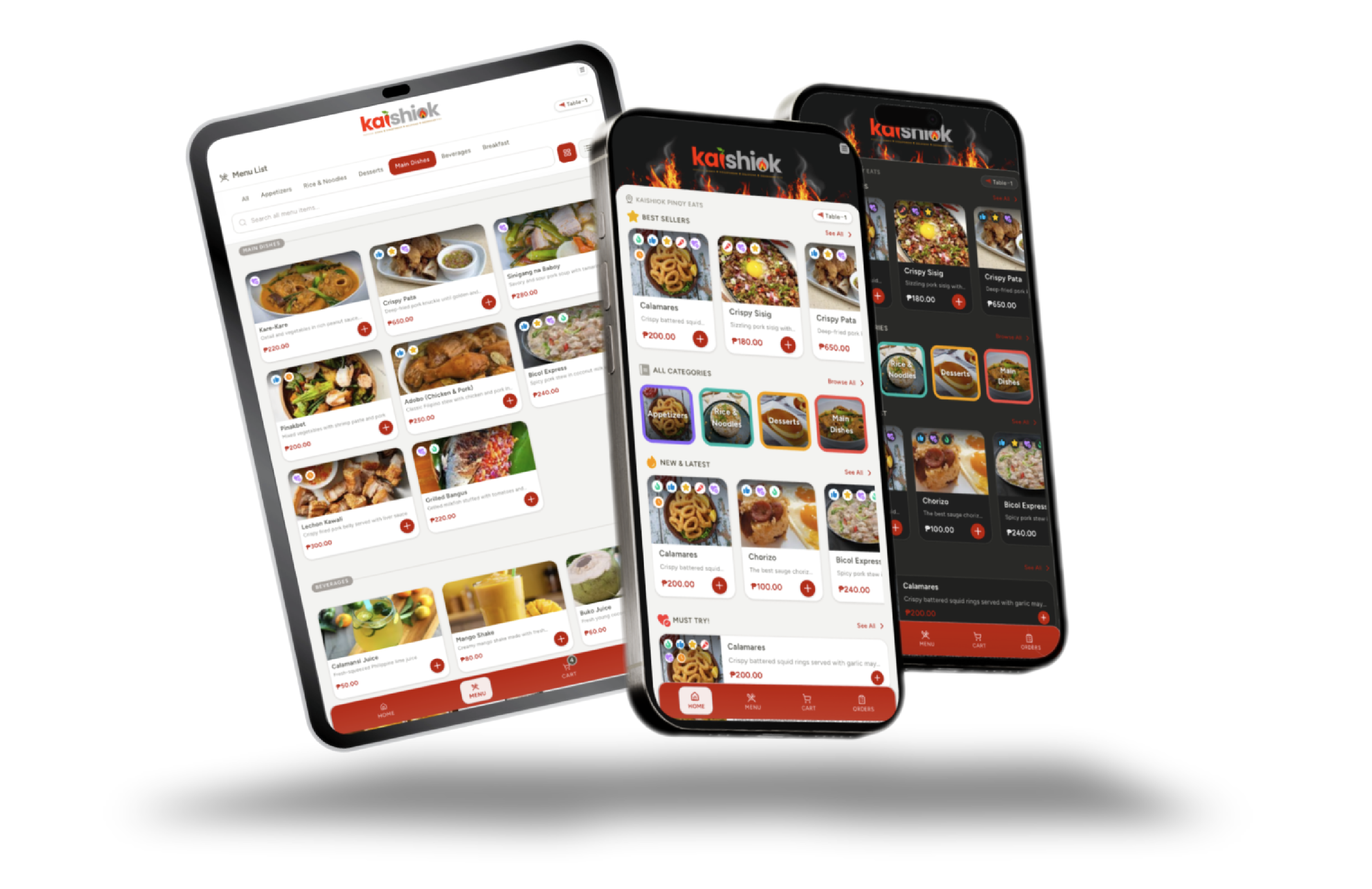
Each table has its own QR code. Diners scan, browse the menu, and order — no download, no signup, no waiting.
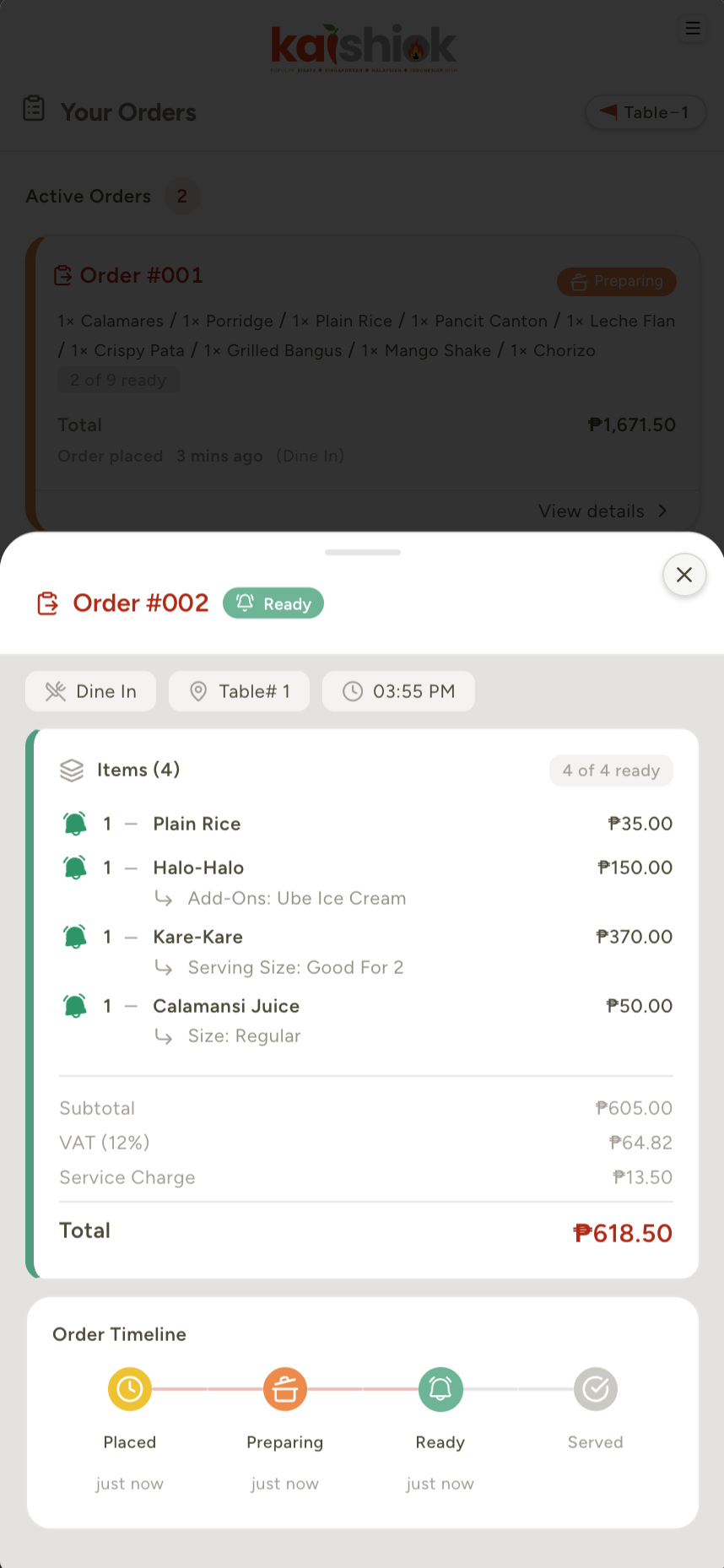
Pending → preparing → ready → completed. Customers track every status change as it happens, with ETA and follow-up prompts.
Full Philippine payment-status flow with reference-number capture and quick-cash buttons at the counter. No commissions, no card fees.
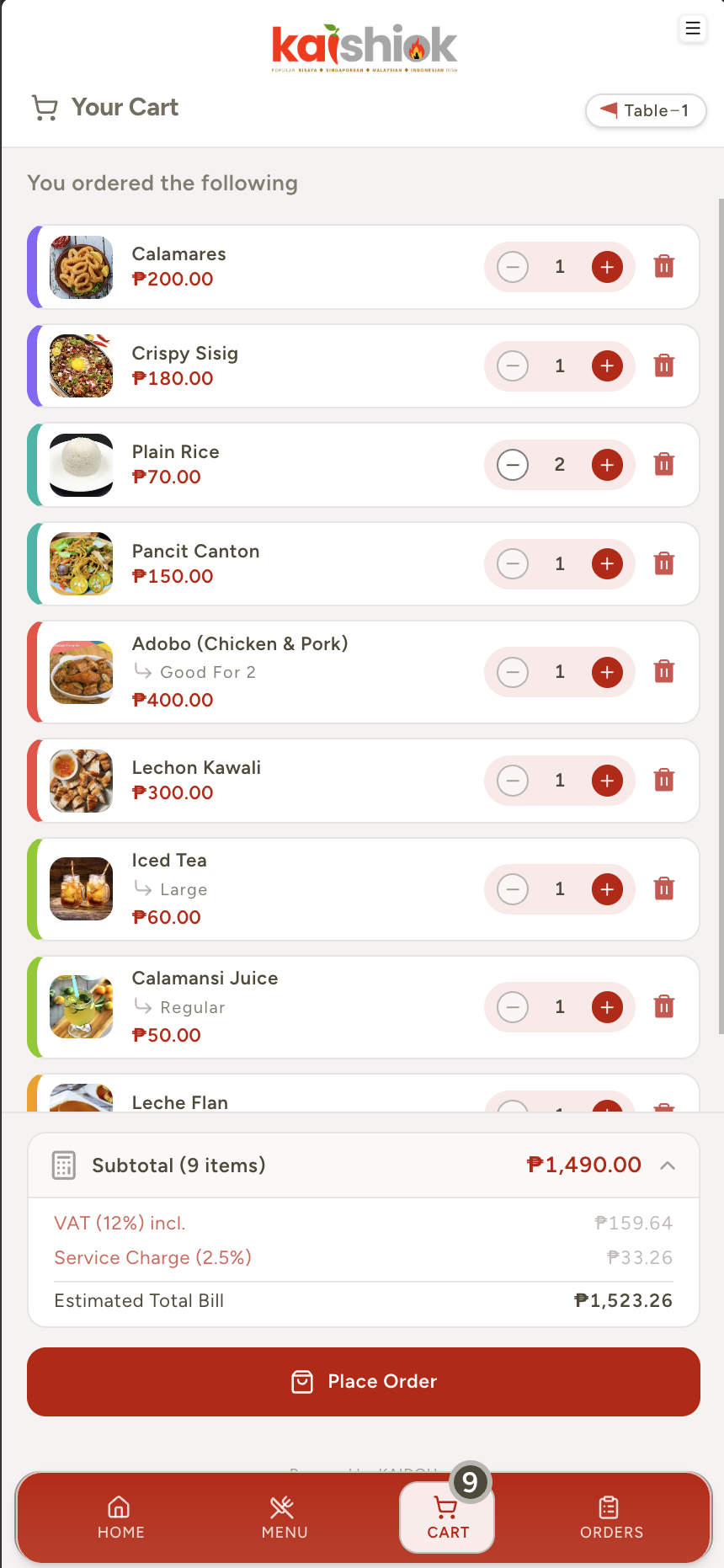
12% VAT (inclusive or exclusive), service charge, takeaway fee, RA 9994/7277-compliant Senior Citizen and PWD discounts — calculated automatically.
Over-the-counter ordering with cash drawer, change calculator, and printable receipts from any browser. No proprietary terminal needed.
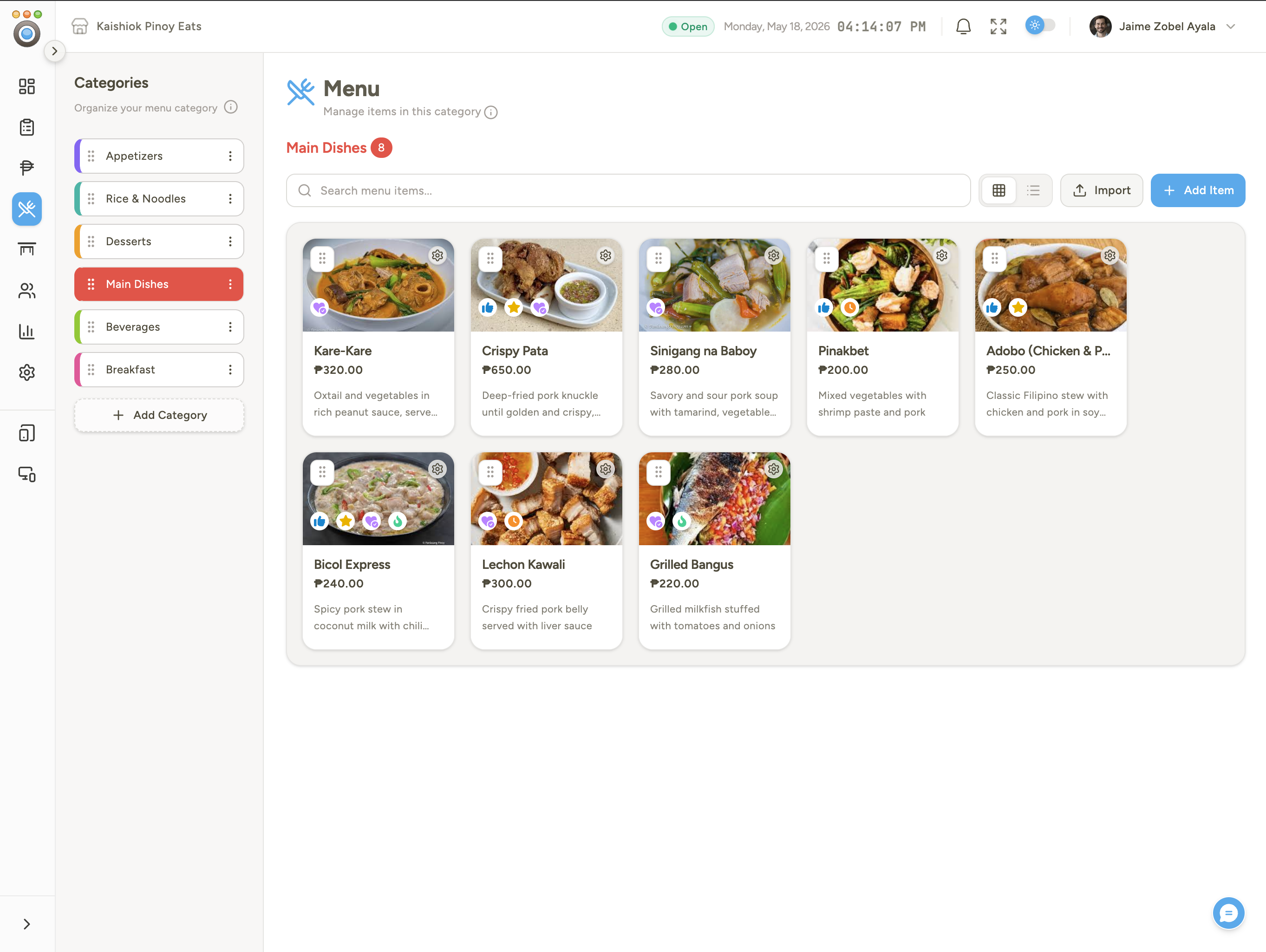
Categories, items, photos, required and optional modifiers, sizes, add-ons. Drag to reorder. Mark items 86'd in one tap.
Upload your full menu — categories, items, prices, modifiers — from a spreadsheet in one shot.
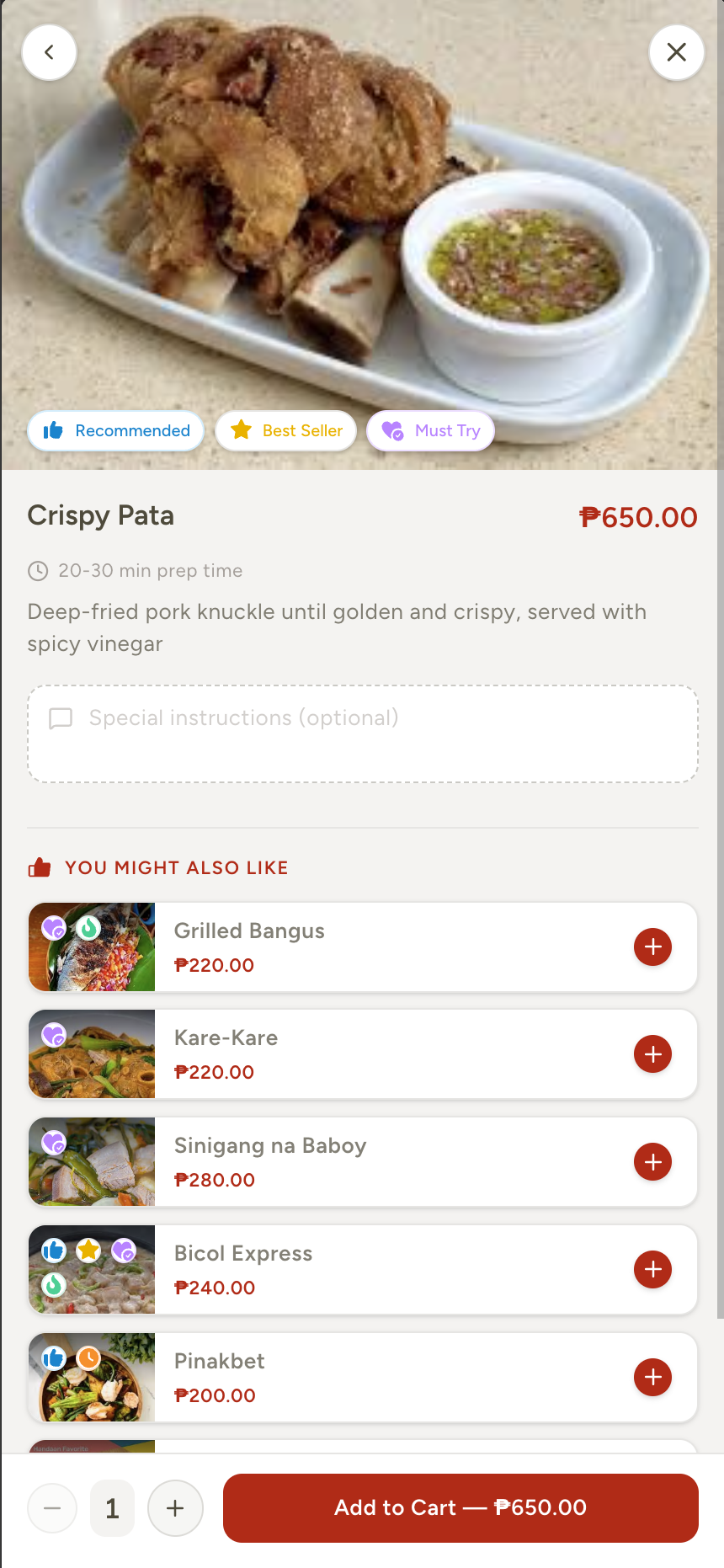
Same-category, popular, new-and-promo, or related-item suggestions surface inside the item drawer to lift average ticket size.
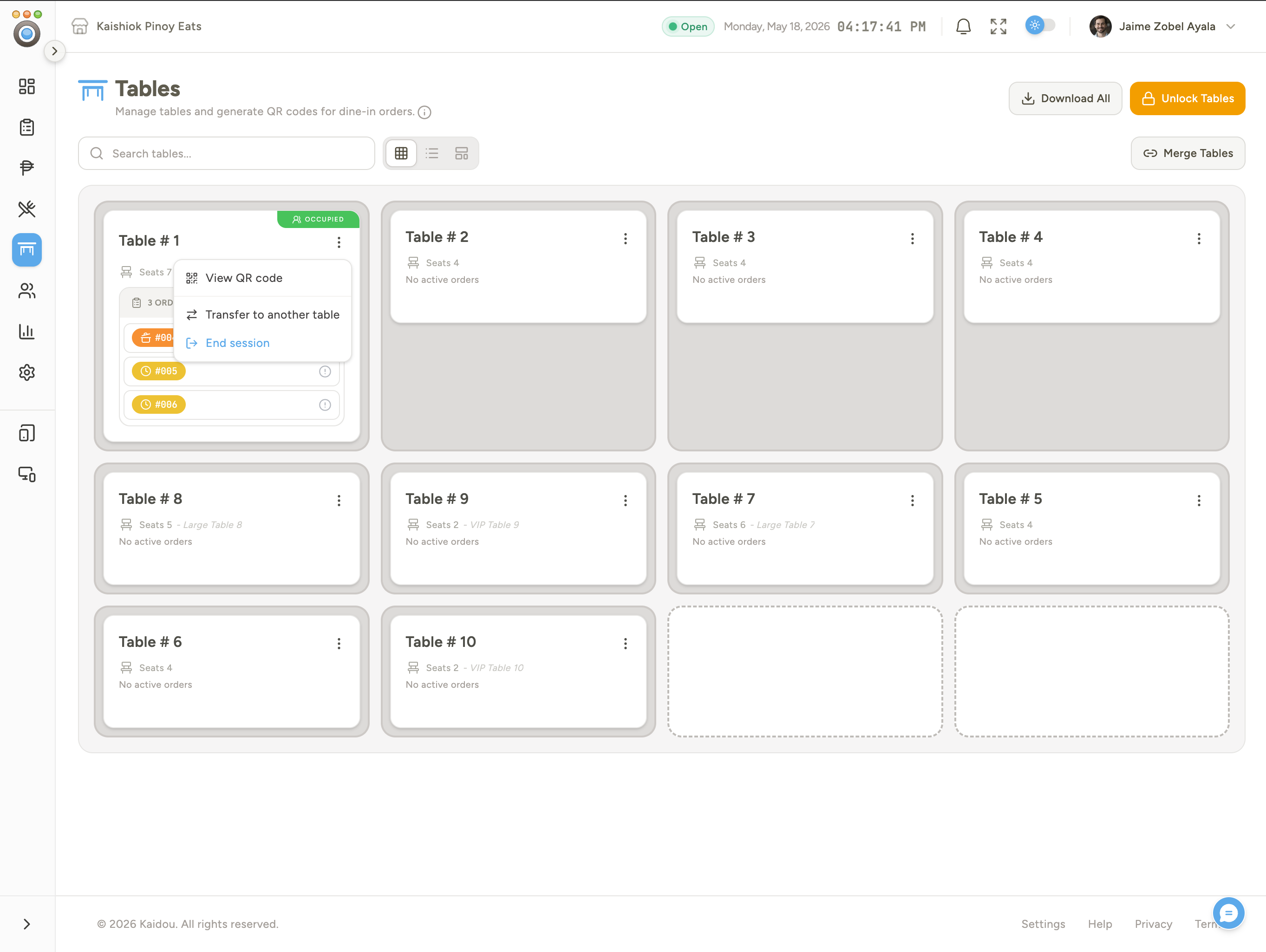
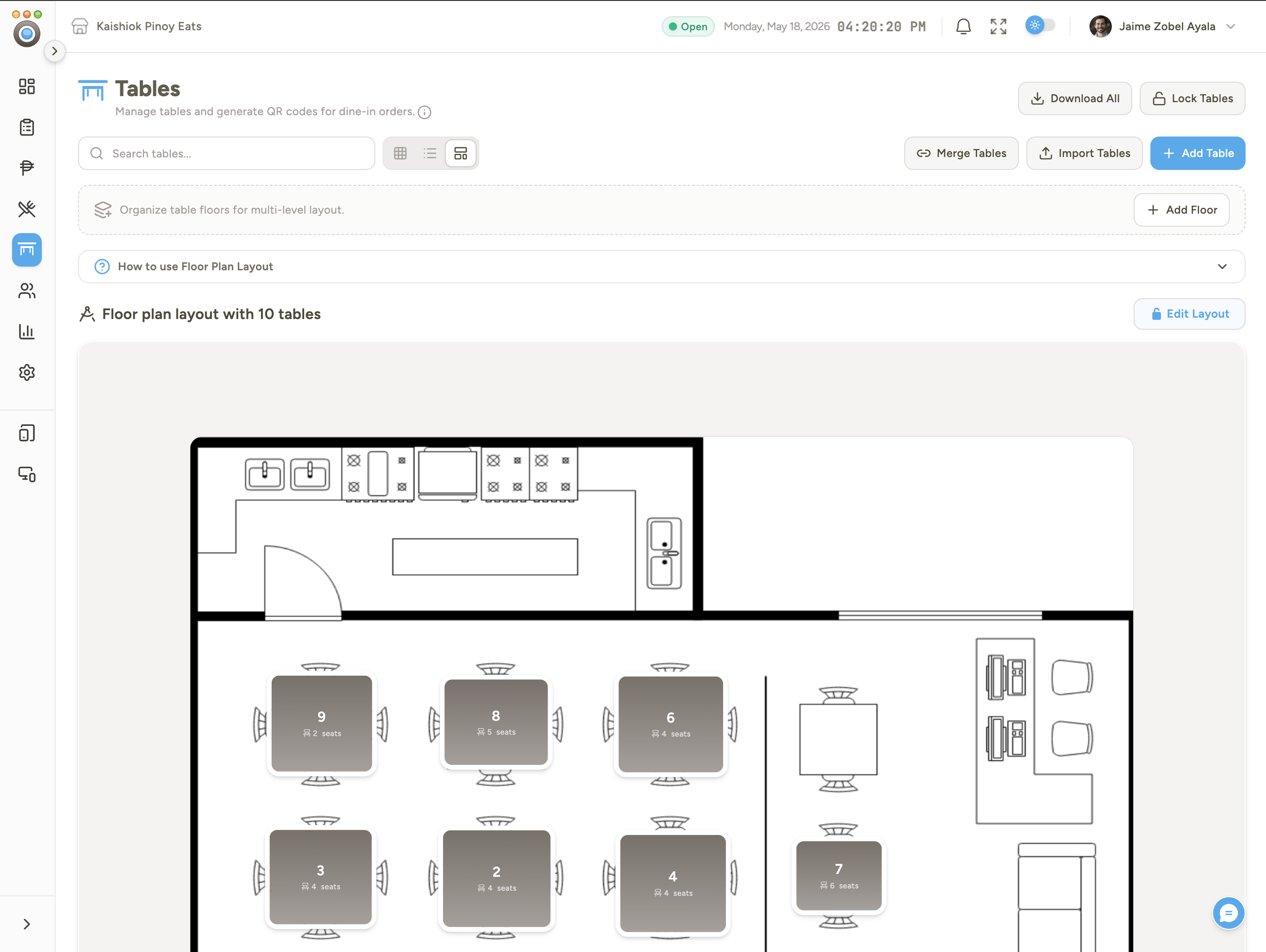
Drag tables on a canvas of your real floor. Multiple zones with image backgrounds, three views (list / grid / canvas), bulk QR download.
Combine physical tables into one shared session for groups. Collect partial, per-session, or combined payments at checkout.
Optional anti-fraud: verify the diner is physically inside the venue before allowing orders, and auto-expire sessions when they leave.
PIN login, item-level bump controls, elapsed timer, color-coded prep thresholds, sound alerts, compact mode for high-density displays.
Diners tap to call a waiter to their table. Live status pill on the customer app, role-targeted alert banner on the admin side.
Auto-prompt customers if a pending order has gone too long, with a configurable threshold and a one-tap "ask staff" CTA.
English, Tagalog, and Cebuano — diners switch from their phone, admins switch from the dashboard. Translate menus once, serve everyone.
Admin, Manager, Cashier, Cook, Waiter, Barista, Host, Server. Custom roles with granular per-feature access. PIN login for shared kitchen and POS devices.
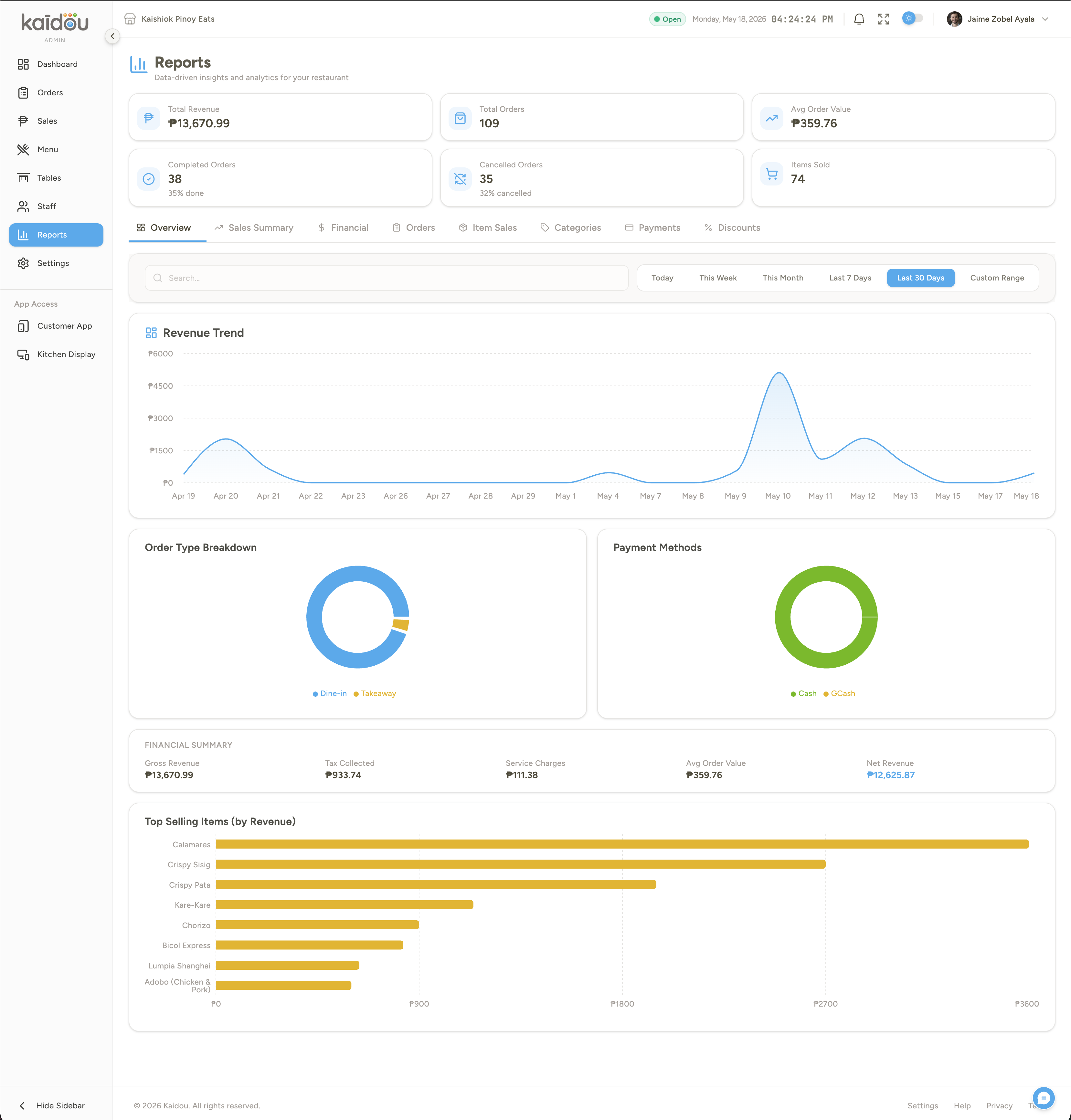
Revenue, peak hours, top sellers, payment split, staff performance, discounts. Filter by date, toggle columns, export to CSV anytime.
No waiting for a waiter to take your order. Customer can find a table and order anytime directly from their phone — no app download required. See live order status updates in real-time and see the order placed, prepared, ready for pick-up or served/delivered. Customer can also do the Call Staff feature for assistance directly from the app.
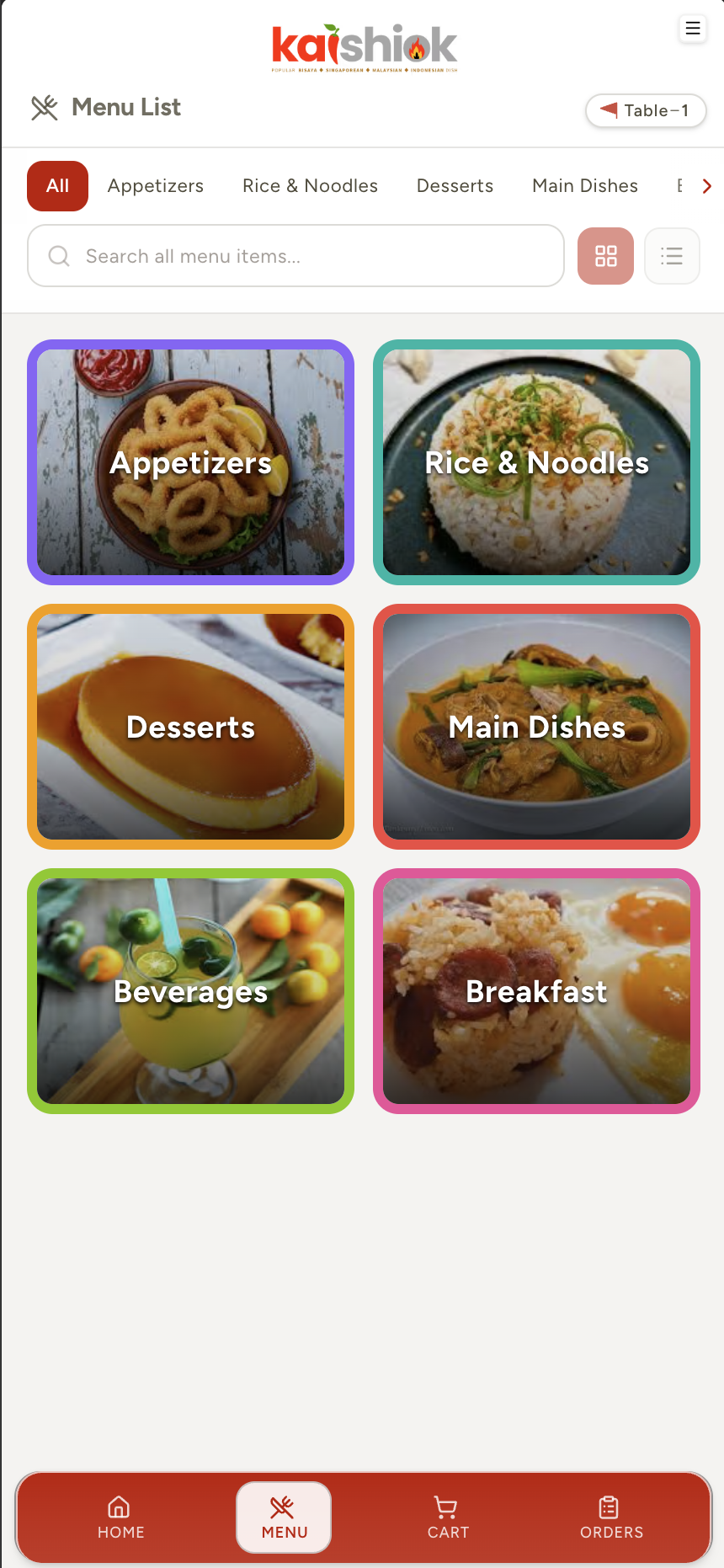
Customer scans the QR code on the table. Instantly sees your branded menu — no app download, no account.
Browse, customise with add-ons, add special notes, tap Place Order. VAT, service charge and SC/PWD handled automatically.
Kitchen sees the order appear on the KDS the instant it's submitted. Set each items if its preparing, ready and already served.
Customer gets a live "Ready" ping. Staff take payment — Cash, GCash or Maya — and close the order.
Customers scan the QR code, open the branded menu instantly — no download, no signup, no waiting. A premium mobile experience that makes ordering feel fast and delightful. Available in English, Tagalog, and Bisaya with a beautiful light and dark mode.
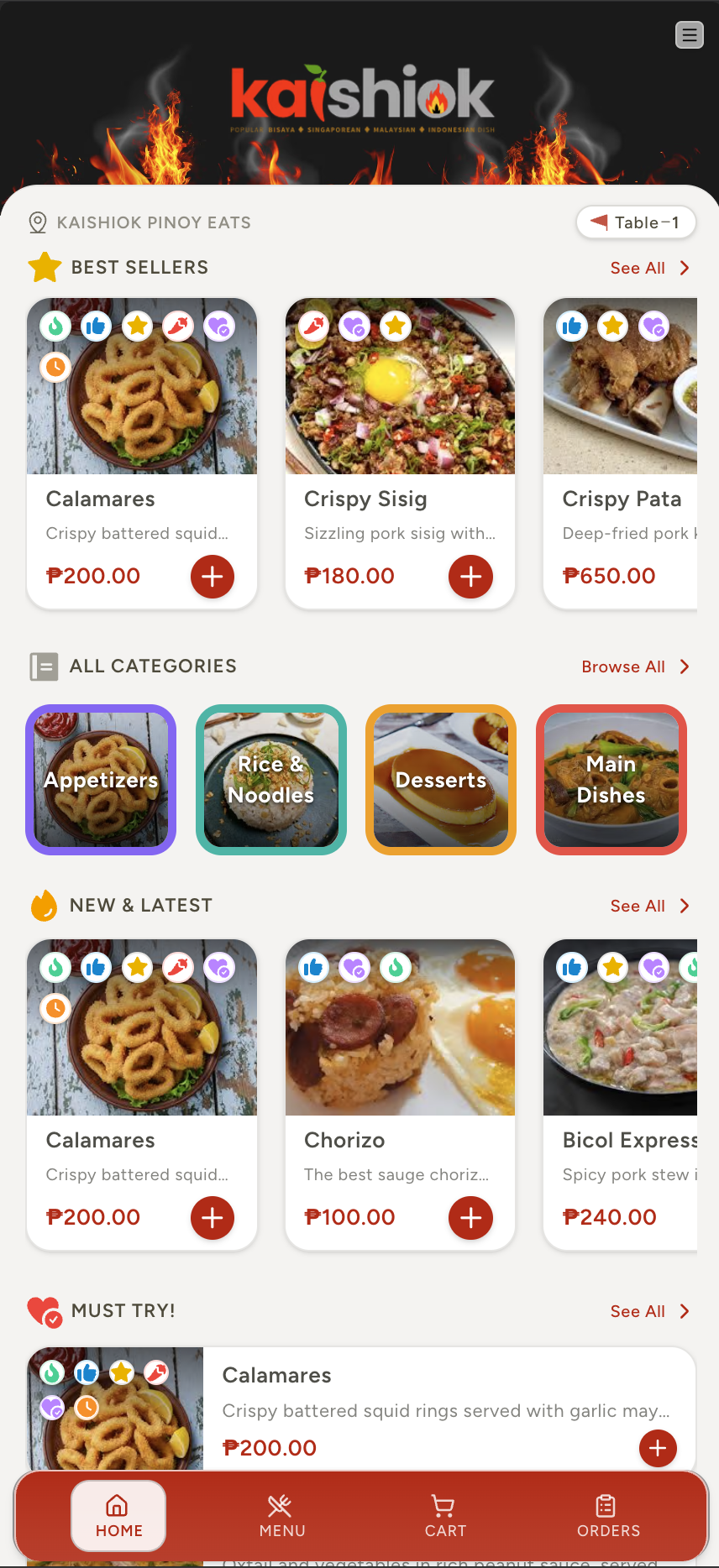
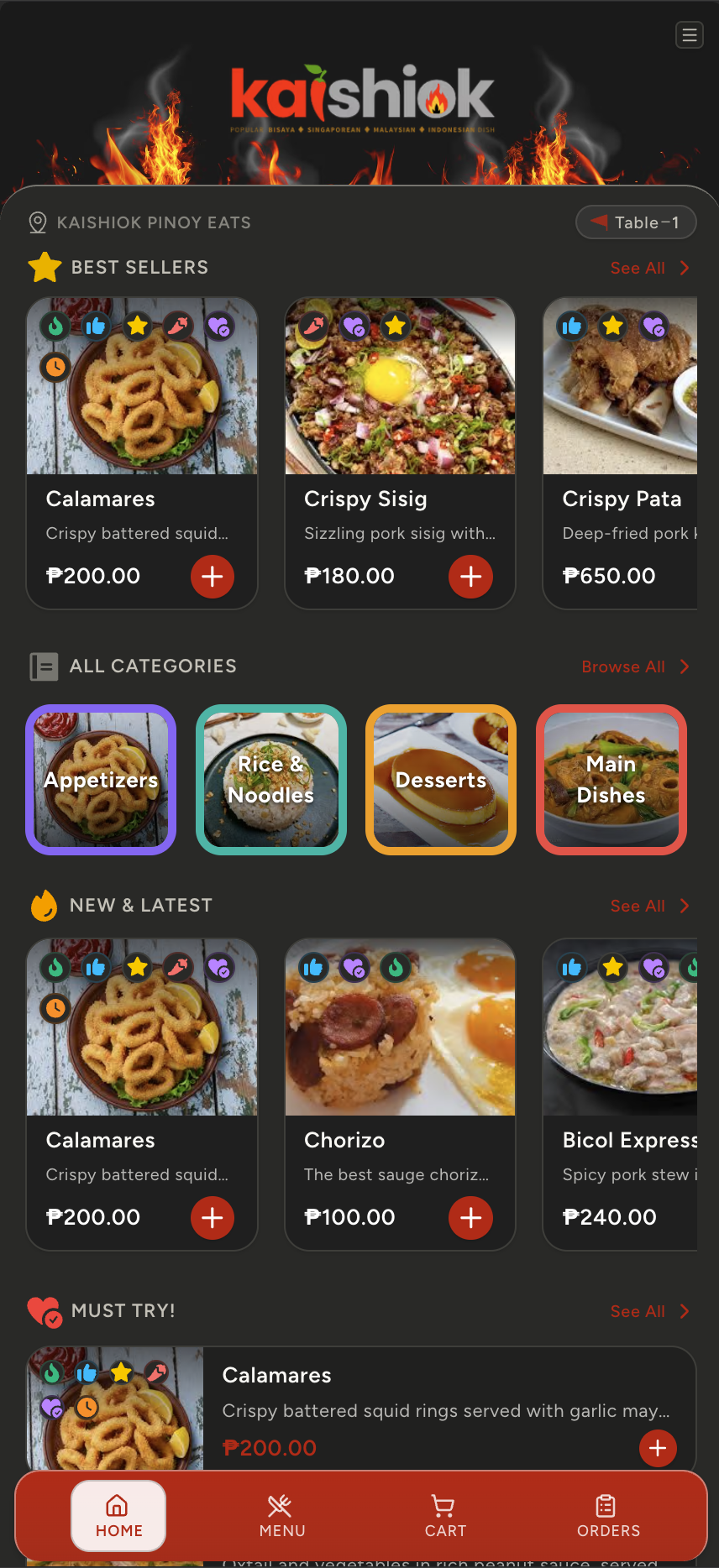
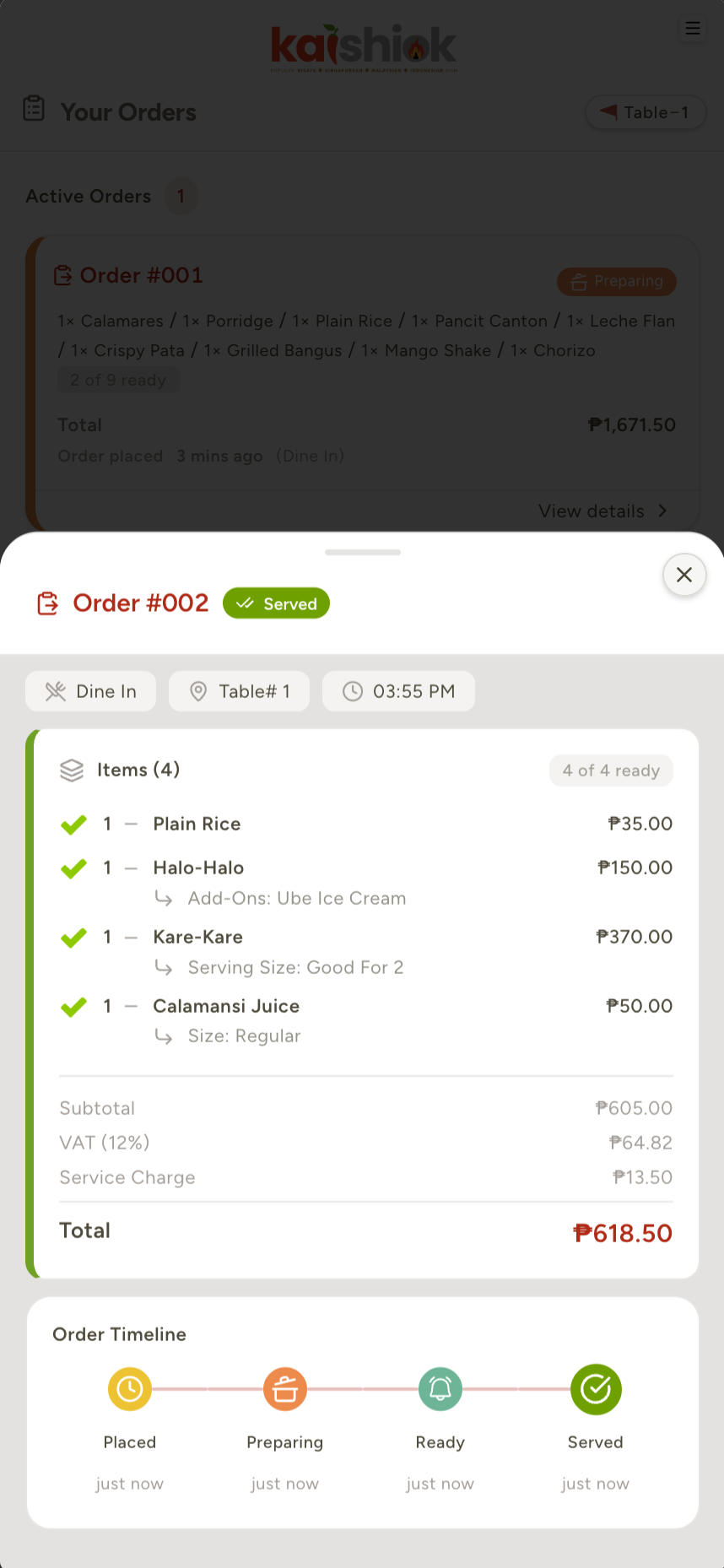
The customer, the owner / staffs, and the kitchen each get a purpose-built app with super powers. With a user-friendly, premium feel, high quality solutions — designed & developed with care and kindness for humans. One subscription covers everything and can be used/access across any devices. Monitor and track your business anywhere in the world from the tip of your fingers.
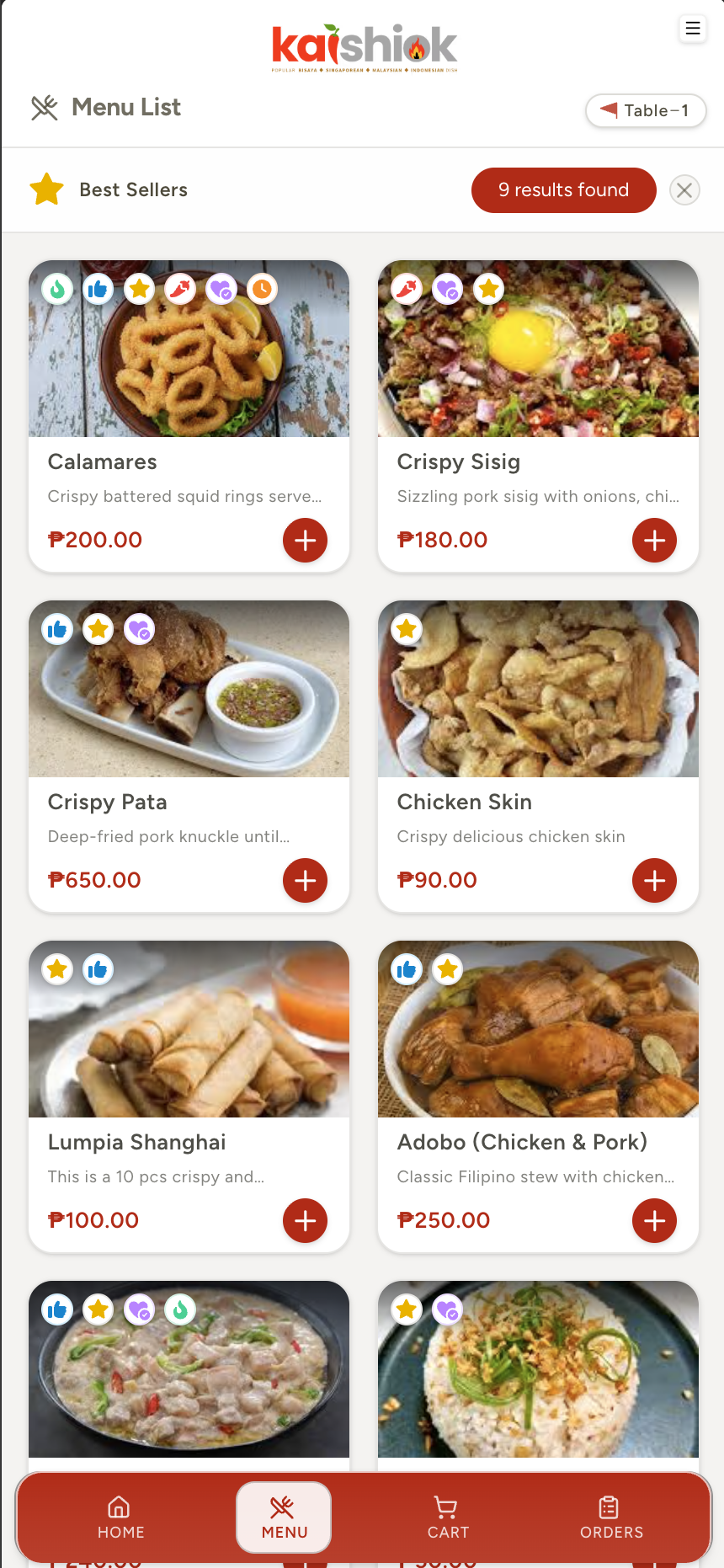
Customers scan, browse, customise and order from their own phone — no install, no signup, no waiter needed.
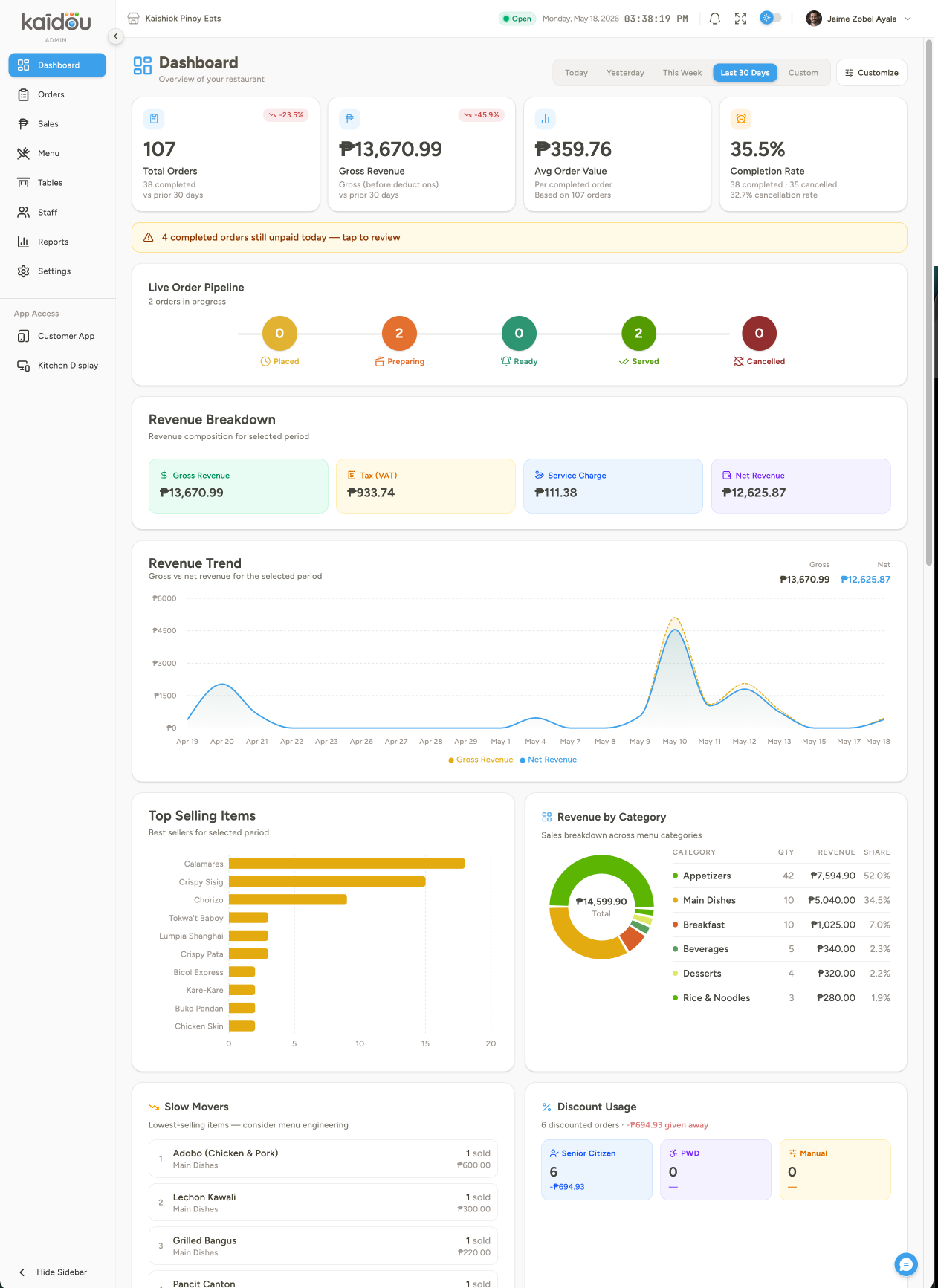
Menu, modifiers, tables, staff, POS, analytics — under one roof with live revenue at the top.
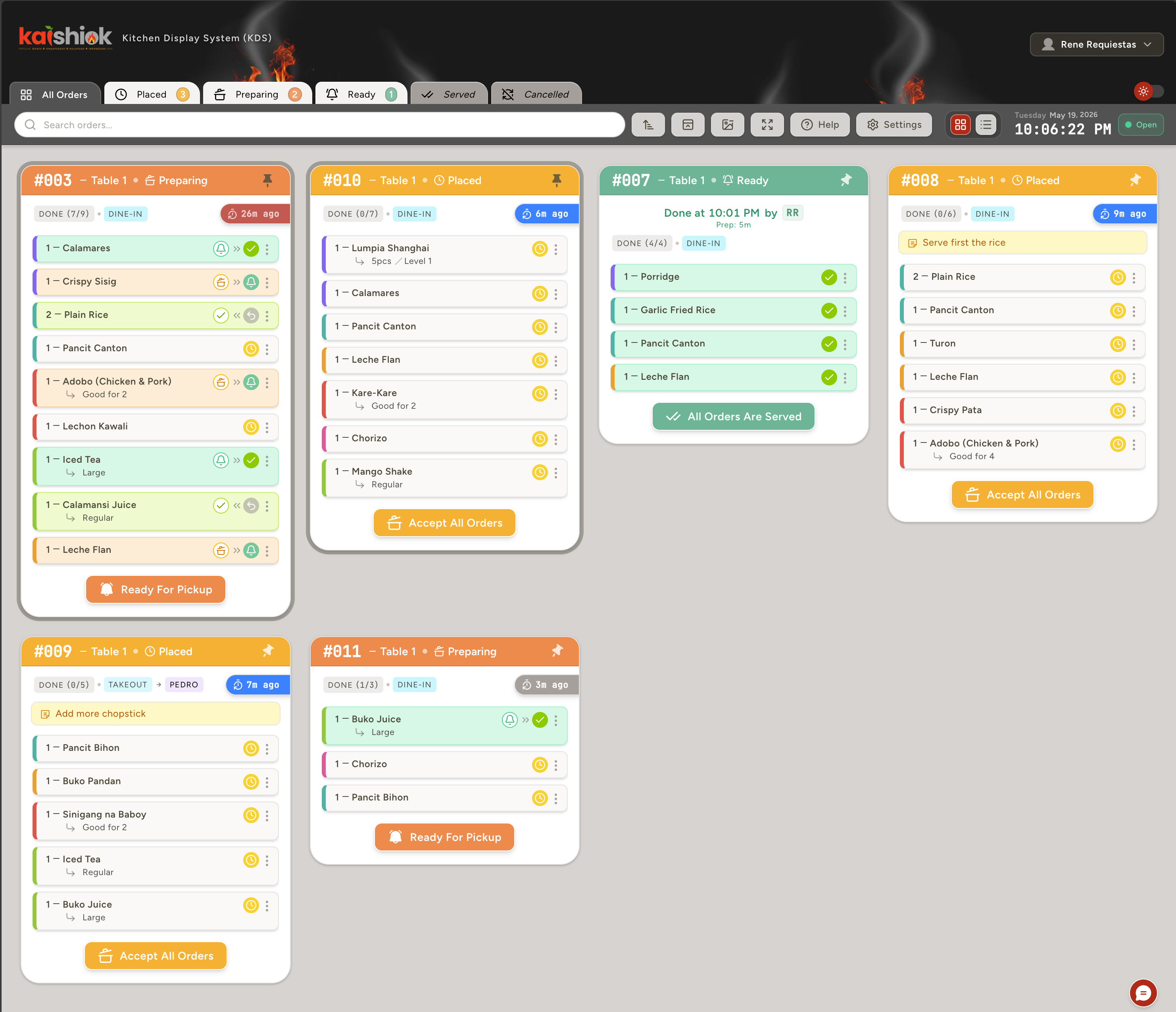
Large-screen KDS for the back-of-house. Color-coded by age, station-grouped, item-level taps.
View, control and manage all aspect of your restaurant from one central location. Every metric your restaurant runs on — revenue, order completion, top sellers, peak service hours — updated in real time and filterable by date or category.
Keep your order and kitchen organize using the smart and advanced kitchen display system. Accept orders by item or by the order itself. Set and mark the approriate order/item status making the kitchen work flow more efficient and mistake free orders. Customize the ui layouts, pinned orders, color-coded urgencies, sort and view orders by statuses. One-tap advancement from Pending → Preparing → Ready → Served of orders/items.
No email needed for kitchen staff, they can just enter the assigned pin to use the kds.
Set configurable warning and urgent timers. Never miss a waiting order.
Change order status both in the item and order level to keep customer updated and staff in-sync.
Main dish, beverages, desserts, etc — sorted by station, by colour-coded for easy navigation.
Compare what you get in Kaidou versus stringing together a traditional POS, a separate QR menu app, and a kitchen tablet from another vendor.
| Feature | Kaidou | QR menu apps | Traditional POS |
|---|---|---|---|
| Real-time order tracking in the Customer App | ✓ Included | Rare | |
| Real-time order & table tracking | ✓ Included | Rare | |
| Digital menu builder with menu tagging | ✓ Included | ||
| Menu item upselling | ✓ Included | Paid add-on | |
| Built-in Point-of-Sale | ✓ Included | Core (₱₱) | |
| KDS - Kitchen Display System App | ✓ Included | Paid add-on | |
| KDS Order status management (for both order & item levels) | ✓ Included | ||
| Table Floor plan editor + bulk QR | ✓ Included | Paid add-on | |
| Staff roles & permissions features | ✓ Included | Basic | |
| Customer call-staff button | ✓ Included | Rare | |
| GCash & Maya | ✓ Included | Limited | Limited |
| Filipino & Bisaya menus | ✓ Included | ||
| 12% VAT config (inclusive / exclusive) | ✓ Included | Limited | |
| SC/PWD discount flow | ✓ Included | Limited | |
| Security: GPS geofencing (anti-fraud) and session handlers | ✓ Included | ||
| CSV / Excel menu import | ✓ Included | Limited | |
| Custom branding (logo, colors, ui design, templates) | ✓ Included | Limited | |
| Live analytics & reports | ✓ Included | Basic | |
| Hardware required | ✓ None | None | ₱50k – ₱200k |
| Per-order commissions | ✓ 0% | Varies | Varies |
| Setup / cancellation fee | ✓ None | Varies | |
| Free to start | ✓ Yes | Varies |
No complicated pricing plans, no add-on modules, no hidden suprise upgrade fees — just a straightforward, easy as ABC pricing options. Start free with all the features — upgrade only when your business needs it.
Try the whole platform with a small shop.
Unlimited everything for growing restaurants.
The full power of Kaidou, tailored for your brand.
// No hardware required to start. Cancel any time.
We're honest about what ships today and what's being built. Here's the forward roadmap — actively in development, not pie-in-the-sky promises. Every feature listed here is targeted for delivery within 2026. All features with its basic functionalities are inclusive to your subscriptions with no significant or hidden additional charges.
Native delivery flow with delivery rider role and live tracking, alongside dine-in and takeaway.
Track hours, compute pay, and generate payroll summaries for your staff — built right into the admin dashboard.
Collect and manage diner ratings and feedback right inside the customer app.
Multiple visual themes for the customer-facing menu — beyond light/dark, fully on-brand.
Online credit & debit card acceptance via certified payment gateway integration.
Track item quantities with low-stock alerts and reorder thresholds. Goes beyond the current availability toggle.
Customers browse your menu and place orders remotely — from home, the office, or on the way — for pickup or pre-order. No table required.
Operate multiple branches under one centralised command — for chains and franchise groups.
Whether you are small or large restaurant or any F&B business, the future is inevitable. Everything is going digital now, its time to transform your business the easy way.
// Less than 15-mins to setup setup